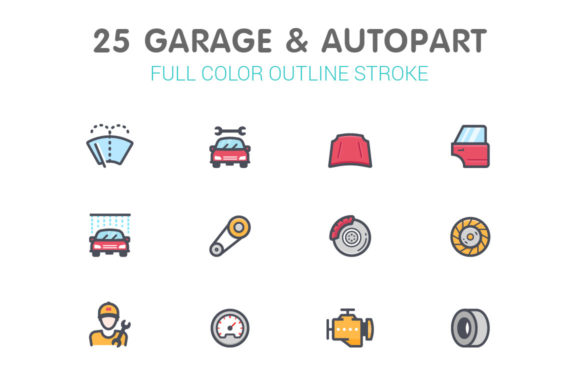
Garage & Autopart Line Color Icons
Streamlining Visual Communication with Versatile Icon Sets
Visual content plays a crucial role in how we communicate ideas, especially in digital environments. The Garage and Autopart Line with Color Icon set offers a comprehensive toolkit for professionals who need high-quality, scalable visuals that are both functional and aesthetically pleasing. Whether you're designing a website, presentation, or marketing material, these icons can enhance clarity, improve user experience, and elevate your brand’s visual identity.
What You Get with This Icon Collection
This icon set is designed with flexibility and precision in mind. It includes multiple file formats—.ai, .eps, .svg, .png, .psd, and .jpg—ensuring compatibility with a wide range of design software and platforms. Each icon is available in four distinct sizes: 64x64, 128x128, 256x256, and 512x512 pixels, making them suitable for everything from mobile interfaces to large-format print materials.
Illustrator AI files come with organized artboards, streamlining the editing process. The Eps8 vector files provide scalability without loss of quality, while individual SVG, PNG, and JPG files allow for easy integration into websites, apps, or printed promotional materials. These icons are especially useful for designers who need to maintain visual consistency across different platforms and resolutions.
Why These Icons Stand Out
One of the key strengths of the Garage and Autopart Line with Color Icon collection is its clean, modern design language. The line-style illustrations are paired with a vibrant color palette that ensures visibility and engagement without overwhelming the viewer. This balance makes the icons ideal for both minimalist and dynamic design projects.
Each icon is crafted with attention to detail, ensuring accurate representation of automotive and garage-related tools, vehicles, and components. From wrenches and oil cans to car lifts and tire changers, this set covers a broad spectrum of industry-specific visuals. Their scalability and clarity make them suitable for both digital and print use, while the layered file structures allow for easy customization to match brand colors or design themes.
Real-World Applications Across Industries
These icons aren't just visually appealing—they're also highly functional. Here are some of the many ways professionals across different fields can benefit from integrating this icon set into their work:
- Web and App Development: Use SVG or PNG icons to enhance UI/UX design, making navigation more intuitive and engaging.
- Marketing and Advertising: Incorporate icons into promotional materials, social media posts, or email campaigns to communicate services clearly and attractively.
- Educational Content: Illustrate technical guides, tutorials, or infographics with clear, recognizable visuals that support learning and comprehension.
- Presentation Design: Add visual interest to slides by using icons to represent ideas, data points, or service categories.
- Print and Merchandise: Print icons on brochures, posters, or branded merchandise to reinforce brand identity and service offerings.
Enhancing Branding and Communication
Icons serve as visual shorthand, helping users quickly grasp the meaning behind features, services, or actions. By using a consistent icon set like Garage and Autopart Line with Color Icon, businesses can reinforce their brand identity across multiple touchpoints. For example, an auto repair shop can use these icons on their website to visually represent services such as oil changes, tire rotations, and brake inspections.
Consistency in icon design also improves user experience. Visitors to a website or users of an app can easily recognize and interpret symbols, reducing cognitive load and increasing engagement. This is especially valuable for international audiences who may not speak the primary language of the content but can still understand visual cues.
Maximizing Efficiency in Design Workflows
Time is a valuable resource for any designer or developer. The Garage and Autopart Line with Color Icon set comes with pre-organized files and multiple format options, allowing for quick integration into projects without the need for extensive editing. Whether you're working in Adobe Illustrator, Photoshop, or a web-based platform, these icons are ready to use out of the box.
Additionally, because the icons are vector-based (SVG and EPS), they can be scaled to any size without loss of quality. This eliminates the need to create or source multiple versions of the same icon for different screen resolutions. The layered structure of AI and PSD files also allows for easy color adjustments, making it simple to match your brand’s color scheme or design theme.
Choosing the Right Format for Your Needs
Understanding which file format to use can make a big difference in how effectively you can implement these icons into your projects:
- SVG: Best for web use due to scalability and small file size. Ideal for responsive design.
- PNG: Great for high-quality images with transparency, especially on websites or presentations.
- JPG: Suitable for print or backgrounds where file size is a consideration.
- AI and EPS: Perfect for editing or printing at high resolutions.
- PSD: Useful if you need layered files for further customization in Photoshop.
Practical Tips for Using Garage and Autopart Icons
To get the most out of this icon set, consider the following best practices:
- Match Your Brand Colors: Use the editable layers in AI or PSD files to adjust icon colors to align with your brand palette.
- Maintain Visual Consistency: Stick to one icon style across your project to ensure a cohesive look.
- Optimize for Performance: Use compressed SVG or PNG files for web use to maintain speed and clarity.
- Use Strategically: Don’t overload your design with icons. Place them where they enhance understanding and navigation.
- Test Across Devices: Make sure icons scale well and remain legible on mobile, tablet, and desktop displays.
Final Thoughts
The Garage and Autopart Line with Color Icon set is more than just a collection of images—it's a powerful design tool that enhances communication, improves user experience, and supports brand consistency. Whether you're building a website, designing marketing materials, or creating instructional content, these icons offer a practical and visually appealing solution. With a wide range of formats and sizes included, this set is a versatile addition to any creative or professional toolkit.